- Go 99.7%
- Shell 0.3%
|
|
||
|---|---|---|
| .forgejo/workflows | ||
| camera | ||
| chanreader | ||
| config | ||
| ezcam | ||
| lib/takoprint | ||
| serial | ||
| smartplug | ||
| store | ||
| task | ||
| util | ||
| webapi | ||
| .gitignore | ||
| go.mod | ||
| go.sum | ||
| LICENSE.txt | ||
| README.md | ||
| takoprint.go | ||

Takoprint
Takoprint is a simple programm to feed gcode to a 3d printer. It offers a convenient webinterface and mimics Octoprints upload API, meaning that common slicer software will be able to directly upload gcode to Takoprint.
Features
- Written in Go: Just push a single binary to your rbpi.
- Speed: Takoprint doesn't need a lot of resources and will work well even on older hardware.
- Octoprint emulation: Mimics the basic Octoprint API allowing for direct Gcode upload from various slicers.
- Custom hooks: Takoprint can execute custom scripts after your print finished (eg. to turn off your printer).
- TP-Link Smart Plug: Built-in support for controlling TP-Link Kasa smart plugs directly from the web interface.
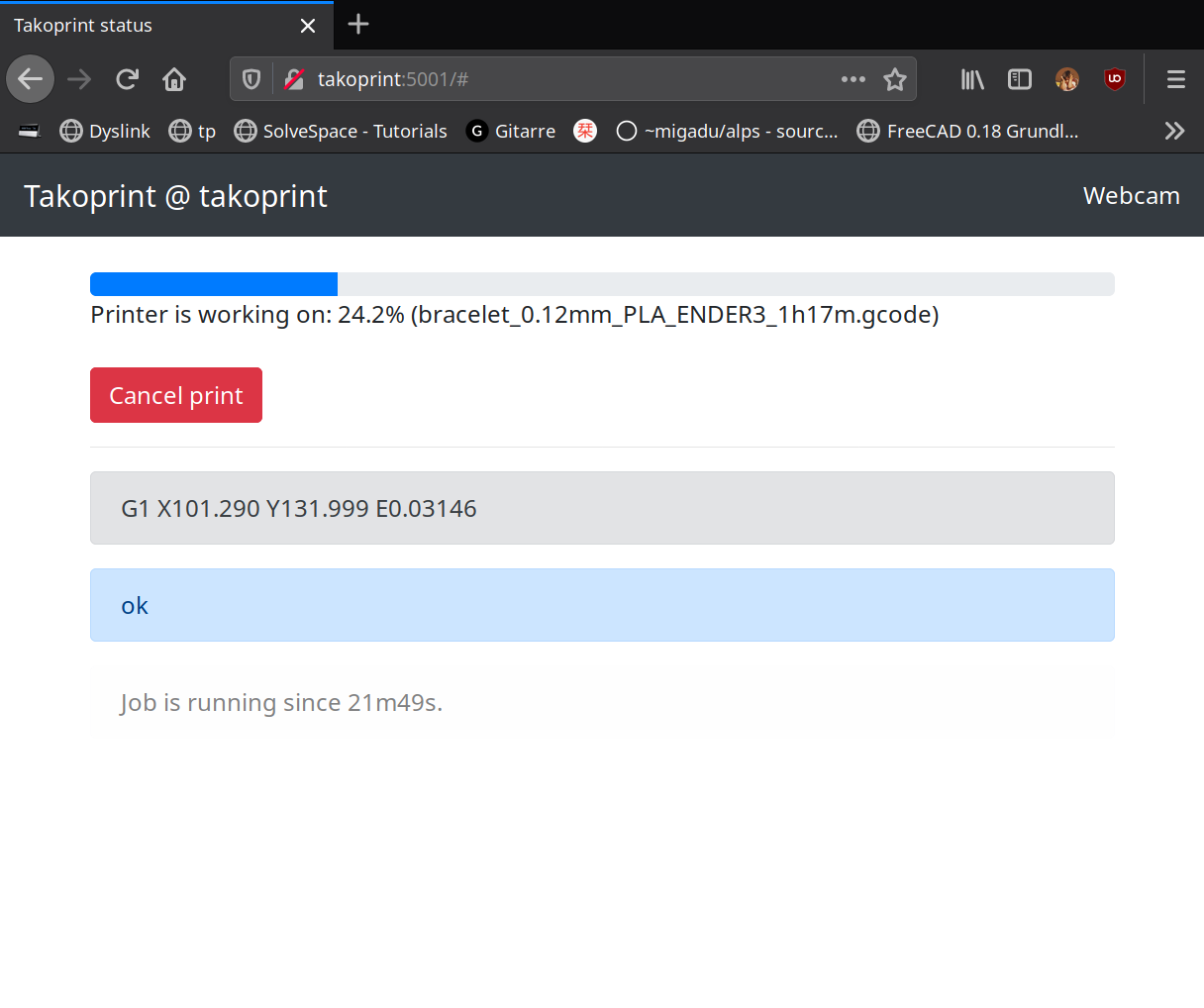
Screenshots
Installation
A reasonably recent version of the Go compiler is required to build takoprint.
$ git clone https://git.sr.ht/~adrian-blx/takoprint
$ cd takoprint
$ go build ./cmd/takoprint.go
If you want to cross compile (example for a rbpi3):
$ CGO_ENABLED=0 GOARCH=arm64 go build ./cmd/takoprint.go
Configuration
Takoprint is configured via flags. By default, takoprint will listen on
127.0.0.1:5001 and expect a printer on /dev/ttyUSB0:
$ ./takoprint -h
Usage of ./takoprint:
  -baud int
        baud rate of -port (default 115200)
  -camera string
        V4L camera device (default "/dev/video0")
  -camera-fps int
        camera frames per second (default 1)
  -gcode string
        file containing gcode
  -listen string
        ip:port to bind to (default "127.0.0.1:5001")
  -motd-file string
        Message of the day to display on the UI (default "/dev/null")
  -plug-host string
        TP-Link smart plug IP address (e.g., 192.168.1.100)
  -plug-port int
        TP-Link smart plug port (default 9999)
  -shutdown-script string
        script to execute to shutdown the printer (default "/usr/lib/takoprint-shutdown.sh")
  -storage string
        path to store gcode in (default "/tmp/takoprint")
  -tty string
        tty to use (default "/dev/ttyUSB0")
Note that Takoprint only listens on 127.0.0.1 by default. You can tell Takoprint to listen on
all interfaces by running it via:
$ ./takoprint -listen ':5001'
Webcam
Webcam support is WIP, but should mostly work - as long as your webcam shows up on /dev/video0.
By default, the camera runs at 1 FPS (frame per second). You can increase the frame rate using the -camera-fps flag:
$ ./takoprint -camera-fps 10  # Run at 10 FPS
$ ./takoprint -camera-fps 30  # Run at 30 FPS
Higher FPS values will provide smoother video but consume more CPU and bandwidth.
Note that certain webcams are extremely power hungry and can cause stability issues on RBPI hardware:
The excessive power draw of some webcams can cause issues to the USB controller, resulting in 'lost gcode' replies which will cause the print to stall. This is not a bug in Takoprint: If you suffer from this issue, get a better power supply or/and replace your webcam (or find other ways to feed power to it, like using an active USB hub).
Note that Takoprint has an escape hatch for stalled prints: Sending a USR1 signal to Takoprints TTY subprocess
should resume the print in most cases:
$ ps -ef|grep :serial-pipe   # first, find the subprocess
takopri+   351   301  0 09:01 ?        00:00:00 takoprint -tty /dev/ttyUSB0 -baud 115200 :serial-pipe
$ kill -USR1 351  # send SIGUSR1
TP-Link Smart Plug Support
Takoprint includes built-in support for TP-Link Kasa smart plugs. You can control your smart plug directly from the web interface without needing external scripts.
To enable smart plug support, specify the IP address of your TP-Link smart plug:
$ ./takoprint -plug-host 192.168.1.100
If your smart plug uses a non-default port, you can specify it with:
$ ./takoprint -plug-host 192.168.1.100 -plug-port 9999
Once configured, a Smart Plug Control panel will appear in the web interface when the printer is idle. The button shows the current state of the plug (ON/OFF) and allows you to toggle it with a single click.
This is useful for:
- Turning your printer on/off remotely
- Controlling shop lighting or ventilation
- Managing any other device connected to the smart plug
Supported devices: TP-Link Kasa smart plugs (HS100, HS103, HS105, HS110, KP115, etc.)
Automatic shutdown
Takoprint can be configured to run a command after the print finished.
By default, /usr/lib/takoprint-shutdown.sh will be executed (can be configured using the -shudtown-script flag).
The script could then execute a command to turn off a 'smart' power plug. I'm using a Sonoff device running TASMOTA in my setup with the following shutdown script:
$ cat /usr/lib/takoprint-shutdown.sh
#!/bin/bash

# retry 3x as my wifi connection can be crappy:
for x in 1 2 3 ; do
        until wget -O - -q "http://192.168.2.230/cm?cmnd=Power%20OFF"
        do
                echo "retry poweroff..."
                sleep 3
        done
        sleep 1
done